Australian Politics Forum
http://www.ozpolitic.com/forum/YaBB.pl
General Discussion >> Technically Speaking >> Response Dash Cam
http://www.ozpolitic.com/forum/YaBB.pl?num=1549433731

Message started by Team Froggie on Feb 6th, 2019 at 4:15pm

Title: Response Dash Cam
Post by Team Froggie on Feb 6th, 2019 at 4:15pm
Have just bought a Response QV-3858 Dash Can.
Seems to be an OK unit, except for one thing.
The user manual is crap, but I've managed to nut most of it out.
The big problem is that I can't work out how to replay any video on the cam itself.
The 'Playback' setting has delete, protect and slide show, but no actual playback control.
Can anyone help out this "Technological Noof-Noof"???
Ta....

Title: Re: Response Dash Cam
Post by juliar on Feb 6th, 2019 at 6:48pm
TF,

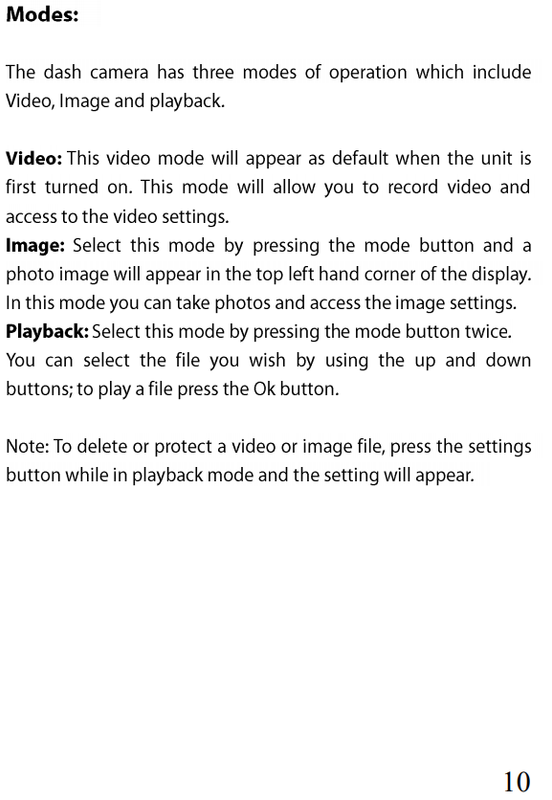
according to page 10 of the manual you press the mode button TWICE to enter playback mode. You can also playback thru the USB port of a PC or laptop.

https://www.techbrands.com/dbdocument/114976/qv3858_manual_25484.pdf


Title: Re: Response Dash Cam
Post by Captain Nemo on Feb 6th, 2019 at 6:56pm
Seems you need to hook it up to a PC with the USB cable then browse to the mass storage folder of the dashcam - DCIM folder where the bunch of .MOV files will sit.

They have some software to play those movie files?

Or maybe the free VLC video player can play them?


Title: Re: Response Dash Cam
Post by Team Froggie on Feb 6th, 2019 at 8:01pm

juliar wrote on Feb 6th, 2019 at 6:48pm:
TF,

according to page 10 of the manual you press the mode button TWICE to enter playback mode. You can also playback thru the USB port of a PC or laptop.

https://www.techbrands.com/dbdocument/114976/qv3858_manual_25484.pdf
Thanx, Juliar.
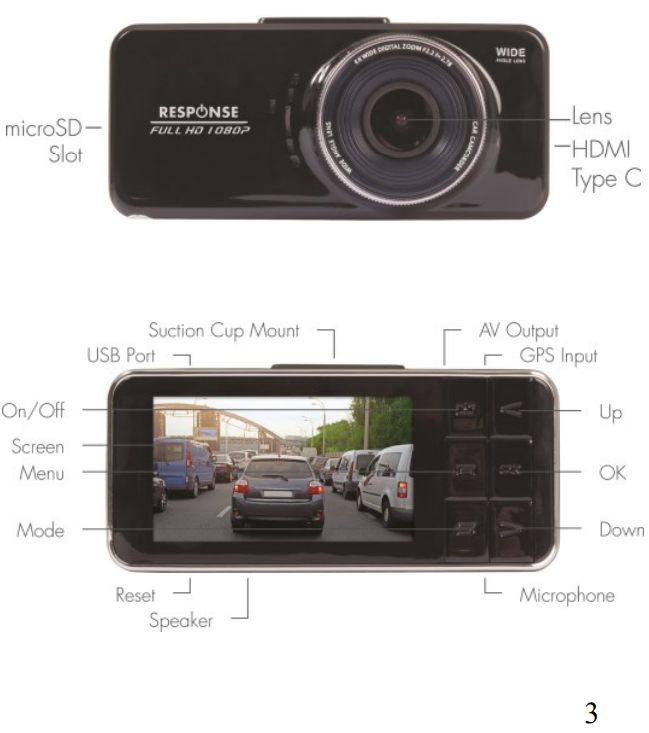
Got myself stuffed somewhere between Mode and Menu buttons.
Not easy to see, and got a tad frustrated after pressing buttons and getting nowhere.
Also kept looking for a "Settings" icon...or something...
Posted my bitch here and put the thing away.
Gave it another go when I read your answer, taking care to hit buttons in right sequence.
Worked first time.
All is well in the world, once again.
Thanx, again... :)


Title: Re: Response Dash Cam
Post by Team Froggie on Feb 6th, 2019 at 8:06pm

Captain Nemo wrote on Feb 6th, 2019 at 6:56pm:
Seems you need to hook it up to a PC with the USB cable then browse to the mass storage folder of the dashcam - DCIM folder where the bunch of .MOV files will sit.

They have some software to play those movie files?

Or maybe the free VLC video player can play them?

Thanx, Cap'n....
Was hoping to avoid all that poo of connecting to PC, as I knew you were supposed to be able to replay on Cam.
As you will see, ^^^, all is now good.

Title: Re: Response Dash Cam
Post by Captain Nemo on Feb 7th, 2019 at 2:52pm
8-)

Australian Politics Forum » Powered by YaBB 2.5.2!
YaBB Forum Software © 2000-2026. All Rights Reserved.